Key Features
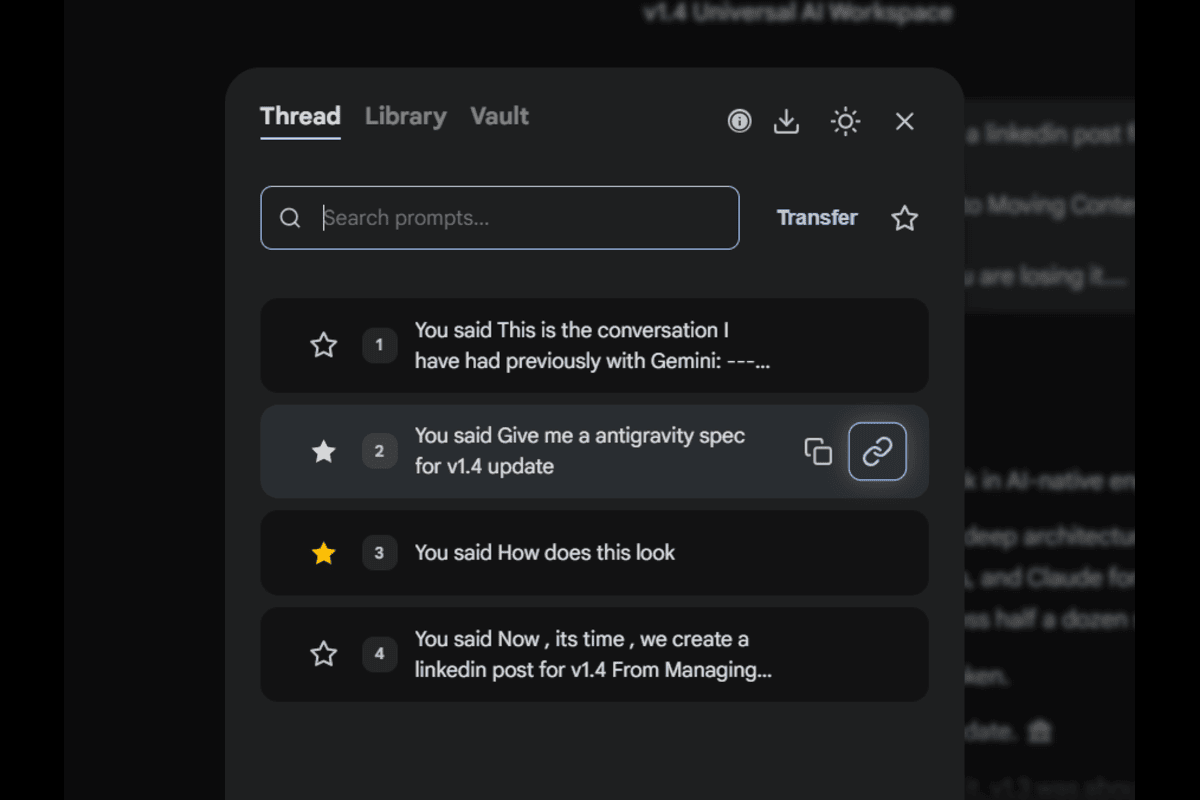
Stop scrolling. Start navigating. The ultimate Table of Contents, Prompt Library, and Chat Manager for ChatGPT, Gemini, Perplexity, Claude, Grok and DeepSeek.
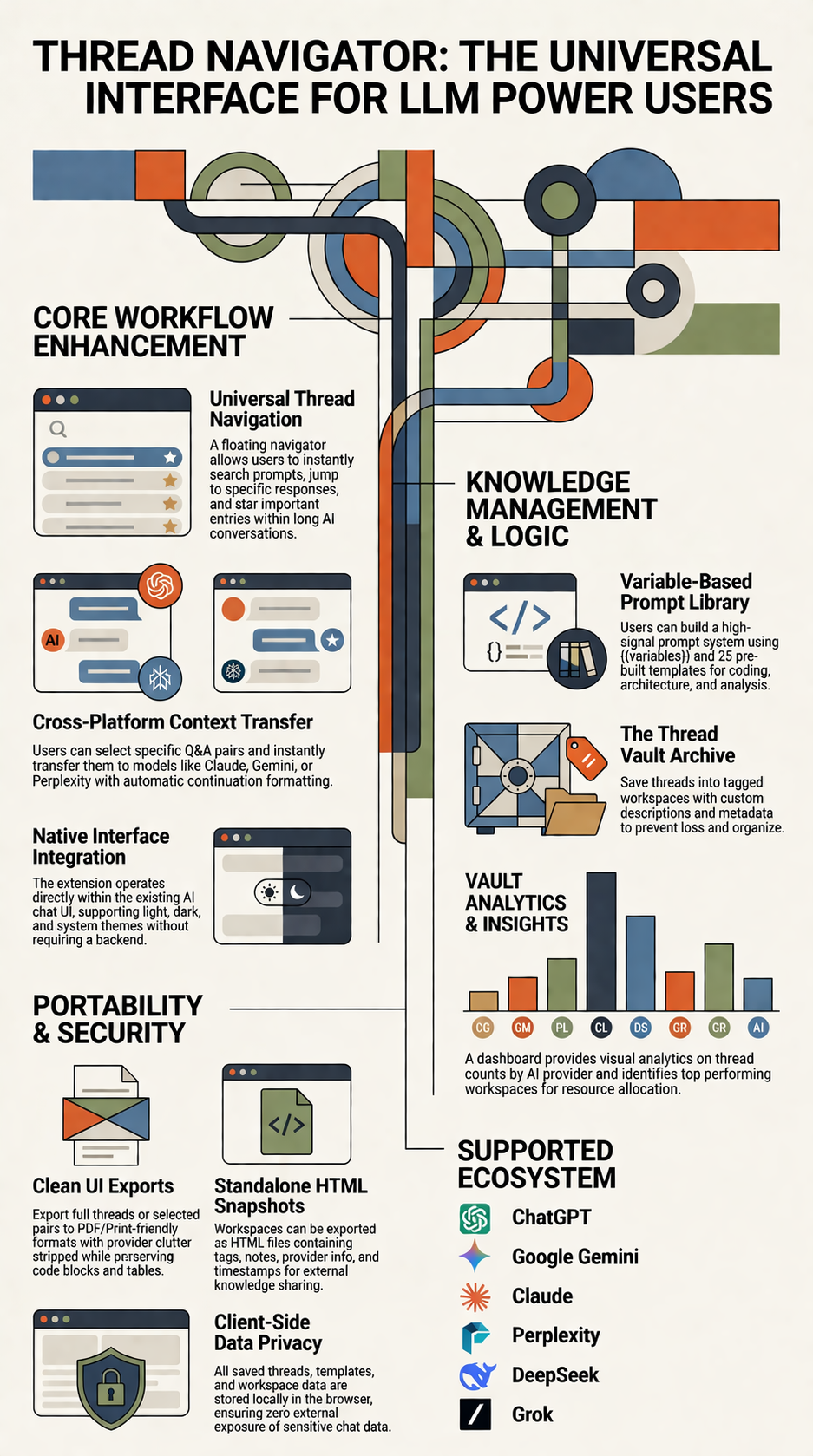
You know the pain. You're 50 turns deep into a conversation. You need that one code snippet from 20 minutes ago. You scroll up... lose your place... and waste time. Thread Navigator turns linear chats into random-access memory.
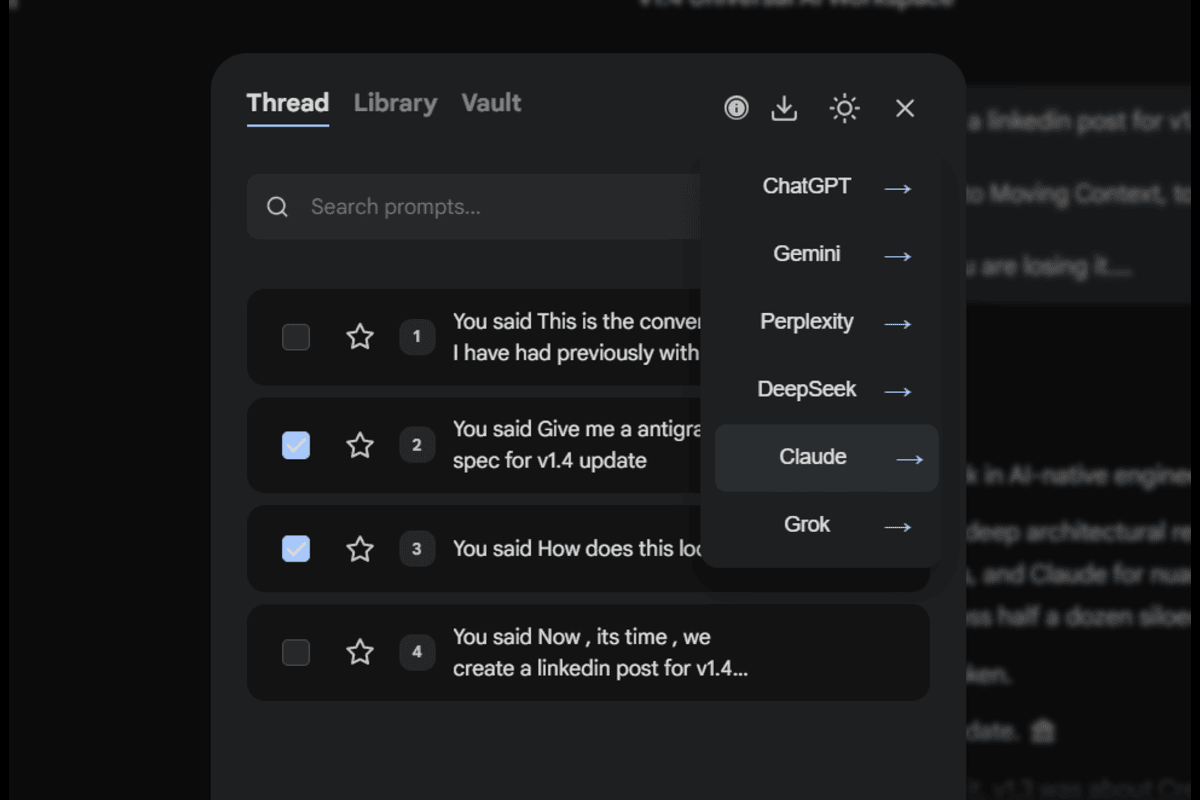
Stuck in Gemini but want a second opinion from ChatGPT? Don't copy-paste manually.
Toggle "Move Mode" and check the Q&A pairs you want.
Click the transfer button and pick your destination.
We compile it into clean Markdown and autoinject into the the destination platform.


Analyze this {{language}} code and identify...
Explain {{topic}} in simple terms...
Compare {{option_A}} vs {{option_B}}...
Design a {{system_type}} that handles...
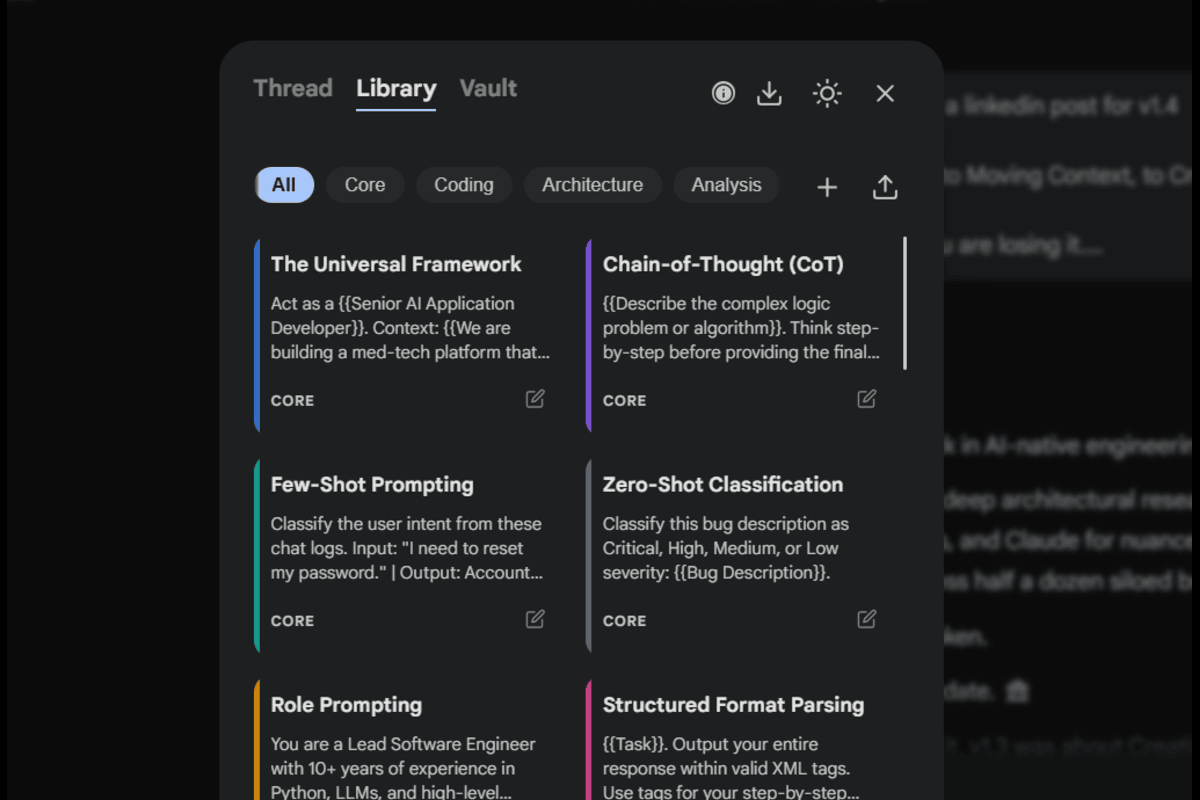
Stop retyping the same prompts. Build, save, and reuse your best ones with a single click.
Ships with 25 templates for coding, architecture, and analysis. Create, edit, delete, and reorder your own.
Use {{variables}} for reusable forms with a live filler preview, then
one-click insert directly into the active AI chat.
Organize prompts efficiently. Pin, rename, and delete tags to keep your library tidy.
Export tag-based prompt libraries as readable HTML files, or import shared libraries from Thread Navigator exports.
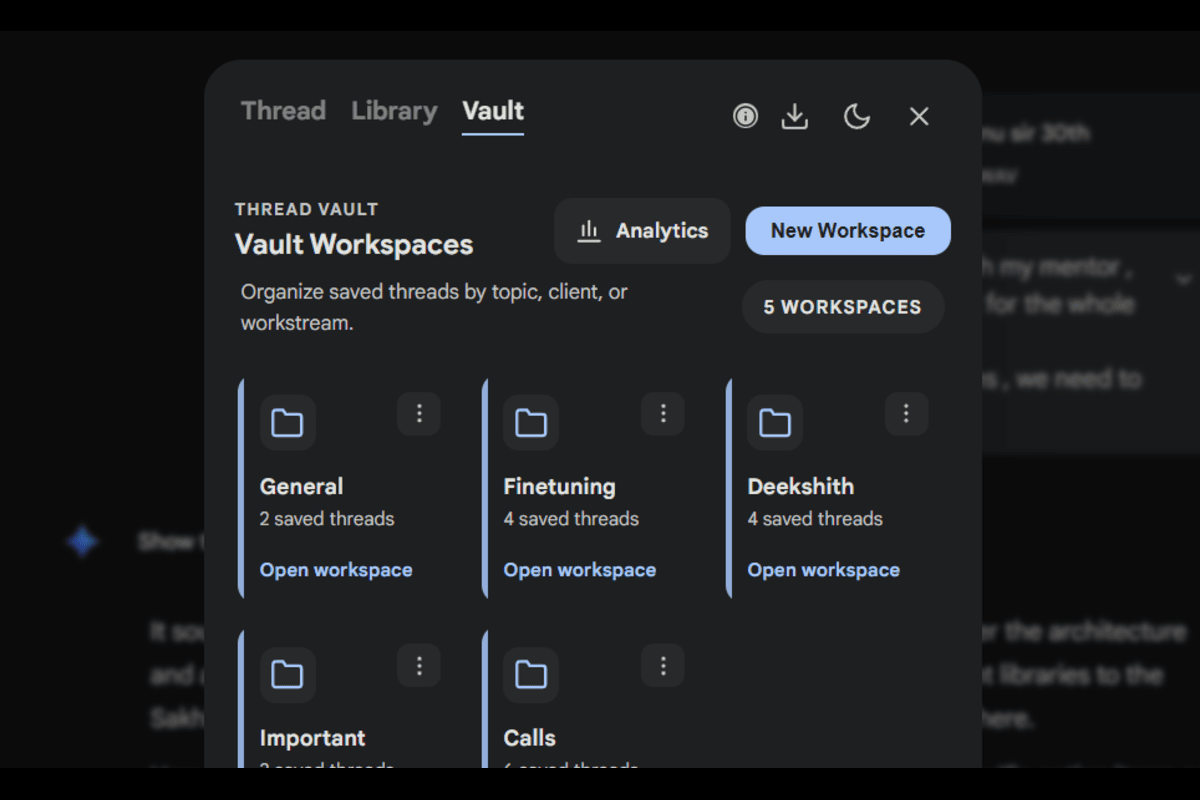
Save important AI conversations into dedicated workspaces. Edit titles, add tags, and track timestamps. Keep research organized across all AI platforms without losing the original context.
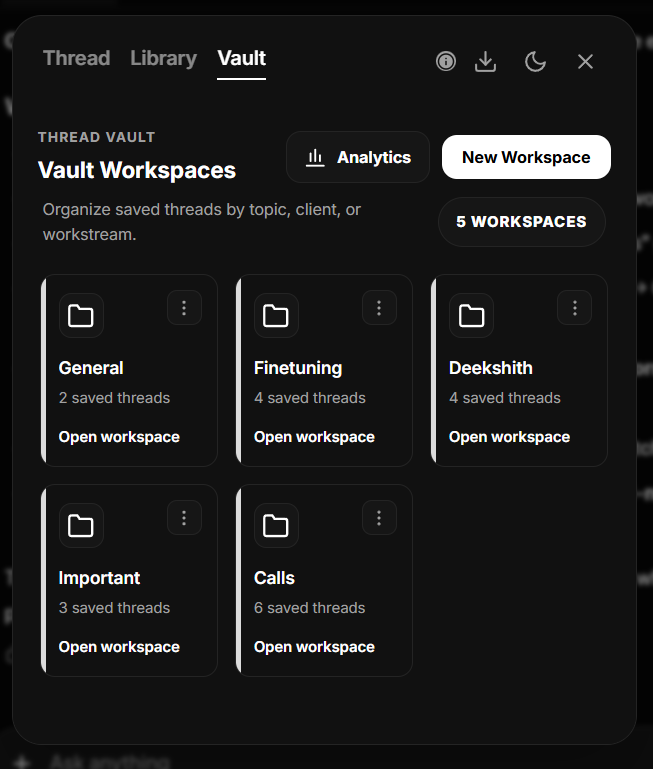
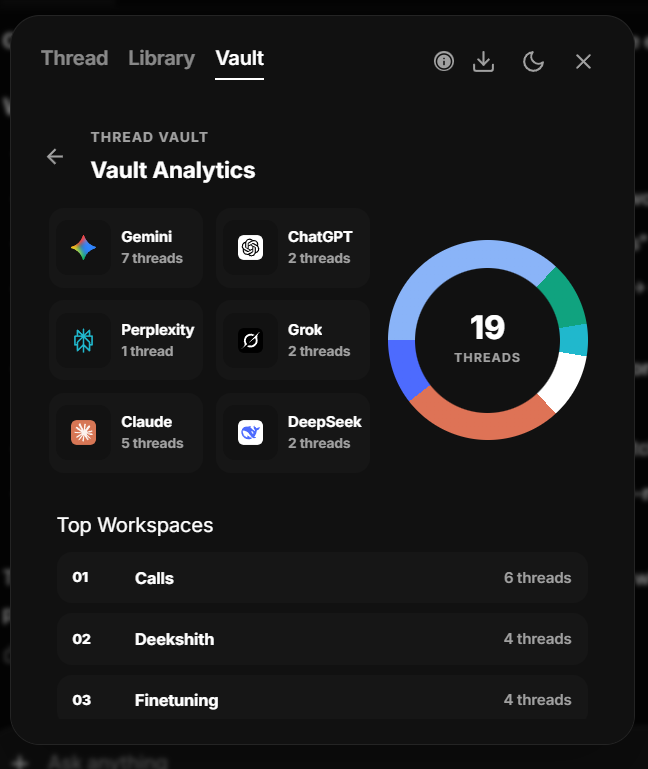
Get visual pie-chart breakdowns of which AI platforms you use most. See top workspaces and understand your research habits.
Export the entire thread or selected Q&A pairs. We preserve structure (code blocks, tables, math) while stripping provider-specific UI clutter for a clean, print-ready archive with embedded metadata.
Auto light/dark mode matching your OS. Each platform gets its own native-feeling theme — Gemini feels like Gemini.
Thread Navigator runs entirely client-side. Your saved threads, templates, and workspace data stay securely in your browser's local storage with no external backend.
Add the extension to Chrome.
Go to ChatGPT, Gemini, etc.
Click the Floating Button.
Search, Star, Save or build prompts from your Library.
Transfer chats cross-platform or save as PDF.
For debugging code and finding snippets from deep within a thread.
For drafting chapters and maintaining continuity across long sessions.
For compiling notes and cross-referencing AI outputs efficiently.